Basic TruckingBASIC TRUCKINGLicense • Enforcement • Logbook
Df
AUTOMATIC DRIVER ENFORCEMENT

Enforcement System

Basic Trucking enforcement watches the driving record automatically, applies the configured rules, creates tickets, warns the driver, and can place the vehicle Out of Service when enforcement reaches a hold condition.

AVAILABLE ON 3 BASIC TRUCKING SERVERS
Basic TruckingBasic Trucking | Just TrucksBasic Trucking | Map | FLX | Jon | Hate
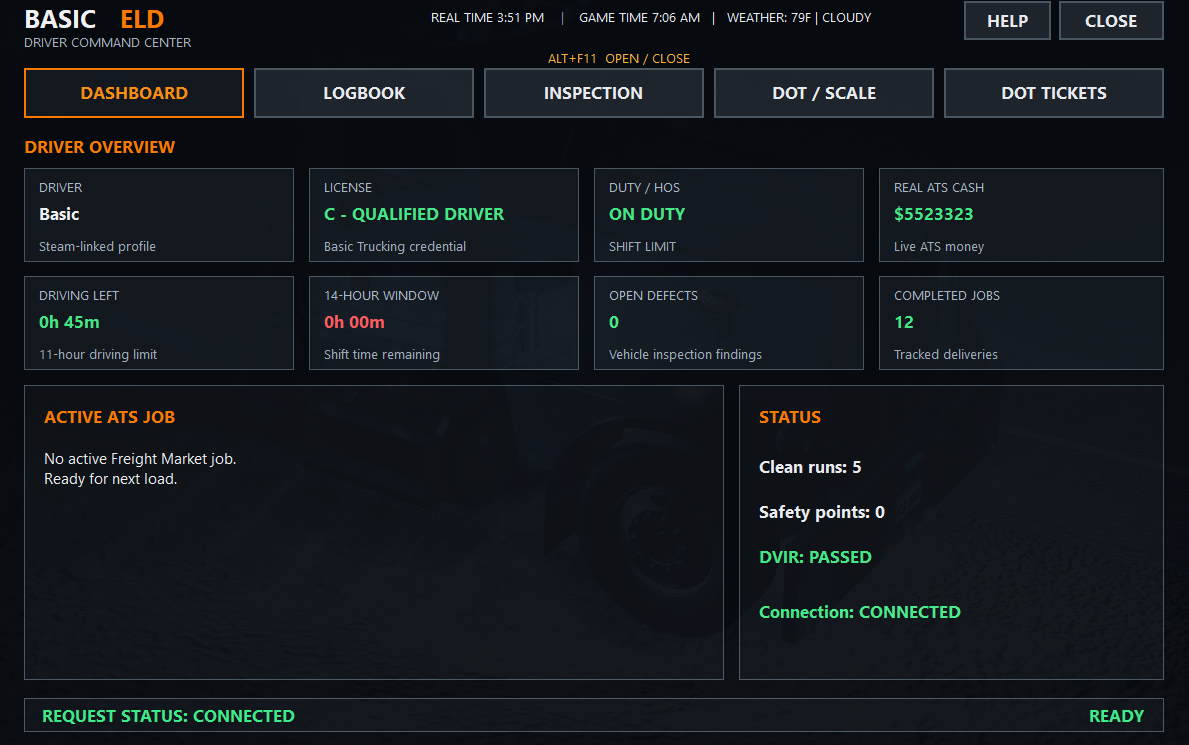
Basic Trucking dashboard tab showing connected driver overview
The real Dashboard tab gives the driver the current high-level picture before any deeper enforcement or compliance action is needed.
AUTOMATIC ENFORCEMENTOUT OF SERVICE WORKFLOW
1VIOLATION DETECTEDSupported driving event enters the enforcement record.
2WARNING PERIODThe driver receives the pre-hold warning and should slow down and pull over safely.
3OUT OF SERVICEAfter the warning, the hold is armed. Full brake hold applies at a safe low-speed or stopped condition rather than intentionally locking the truck at highway speed.
4PAY & CLEARAll active fines must be paid before the driver returns to service.
WHAT THE SYSTEM ACTUALLY DOES

Enforcement that reacts to the driver record automatically.

The enforcement system is not just a list of tickets on a website. Supported ATS events feed the driver record, the configured thresholds decide when action is required, and the game-side enforcement state follows that result.

AUTOMATIC VIOLATION RECORDSupported events such as red lights, speeding, collisions, wrong-way driving, inspection skips, and no-lights events can enter the system automatically.
THRESHOLD-BASED ACTIONThe system counts the event, applies the configured points, and decides whether the current enforcement threshold has been reached.
DRIVER WARNINGWhen a hold is coming, the driver receives the warning period to slow down and pull over safely. After the countdown, the hold is armed; full brake lock waits for a safe low-speed or stopped condition to reduce the chance of a crash.
RETURN TO SERVICEWhen payment and enforcement conditions are cleared, the hold is released automatically.
THE ENFORCEMENT FLOW

From violation to release.

Every step stays attached to the same Basic Trucking driver identity.

01

Detect

Supported ATS events are detected and matched to the correct driver.

02

Evaluate

Points, offense counts, cooldowns, and replay protection are evaluated.

03

Ticket

If a threshold is reached, the system creates the enforcement ticket automatically.

04

Warn

The driver sees the pull-over warning and should slow to a safe stop.

05

Hold

After the warning the hold is armed. Full brake hold applies once the truck is at a safe low-speed or stopped condition, then remains active while the fine is unresolved.

06

Release

Payment clears the active enforcement condition and returns the driver to service.

Ticket generation

When a threshold is reached, the Worker creates the enforcement ticket with the offense category, amount, points/count context, and the reason that triggered it.

Replay protection

Cooldowns, event IDs, and fingerprints help prevent one ATS event from creating the same ticket repeatedly.

Driver-specific records

Every ticket, fine, warning, and hold belongs to the correct driver record. One driver’s enforcement state does not cross into another driver’s account.

License connection

Recent violations can also affect the Driver License safety standing, so enforcement and the license record remain connected.

Insurance connection

Qualifying collisions can feed an insurance incident while the enforcement system handles the violation itself.

DOT connection

DOT and logbook findings can also produce citations or Out of Service conditions under their own configured rules.
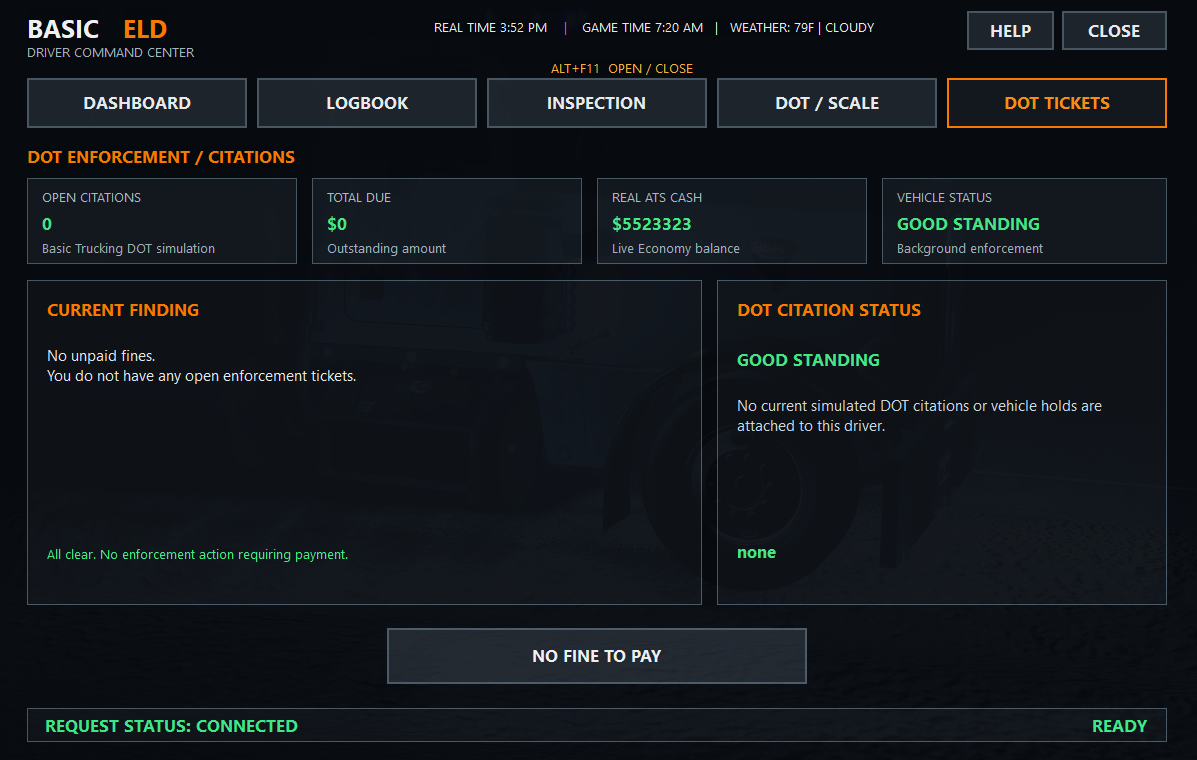
Basic Trucking driver DOT tickets tab
The real DOT Tickets tab shows open citations, total due, ATS cash, vehicle status, current findings, and when there is or is not a fine to pay.

Pay the fine. Clear the condition. Return to service.

The driver pays through the Basic Trucking driver system. The system verifies the payment, closes the ticket when appropriate, clears the configured enforcement cycle, and releases the vehicle automatically.

One connected balanceThe enforcement record and payment state stay tied to the same driver identity.
Out of Service means stoppedThe vehicle remains halted while the active enforcement condition is still in force.
No admin required for normal flowAdmin tools exist for maintenance and testing, but normal tickets and holds are driven by the automatic enforcement rules.
OUT OF SERVICE UNTIL CLEARED

Unpaid enforcement keeps the vehicle off the road.

When automatic enforcement places a driver Out of Service, the vehicle is halted. The driver remains Out of Service until all active fines are paid and the enforcement condition is cleared.

OPEN DRIVER BOARD
DRIVER BOARDCredential and system-status overviewDRIVER LICENSEClass, safety points and standingENFORCEMENTAutomatic enforcement • Out of ServiceLOGBOOKCompany, trips and operations recordACHIEVEMENTSPatch requirements and recognition